
Quickslider with video
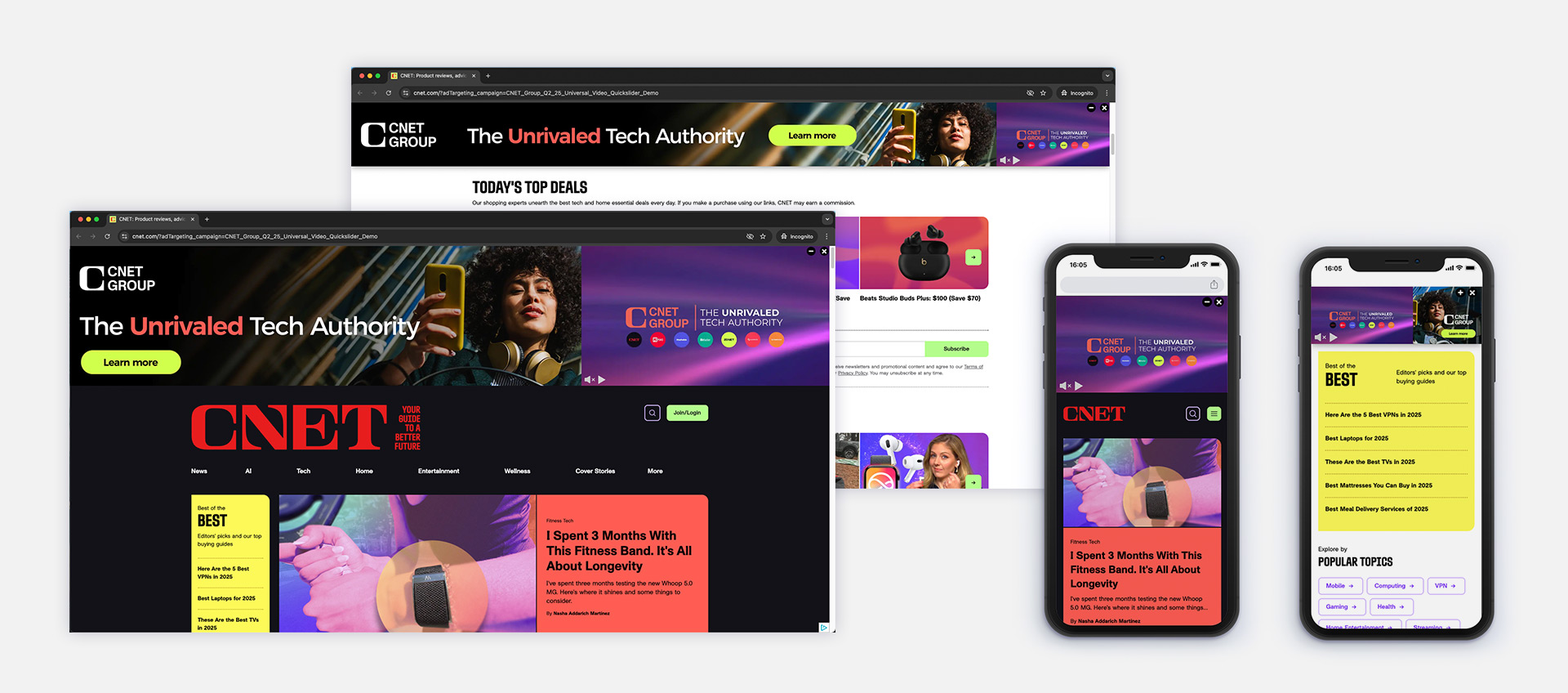
DIMENSIONS
- Desktop (Expanded State): 5120x700px (safe area: 3720x700px)
- Desktop (Collapsed State): 5120x320px (safe area: 3720x320px)
- Mobile (Expanded State): video, full width
- Mobile (Collapsed State): 925x310px
Notes: See the PSD template for the accurate safe zones.
MAX FILE SIZE
Expanded State: Unlimited / PNG
Collapsed State: Unlimited / PNG
*Our ad platform automatically recompresses and optimizes images for delivery.
VIDEO
Dimensions: 16:9, 1.91:1, 2.4:1, 4:3, or 1:1 ratio
Duration: 15 seconds recommended (30 sec. max.)
Format: MP4/H264
File Size: 3Mb max.
Note: you can simply provide a regular 16:9 HD video (up tp 300MB) and we will recompress it to the optimal specifications.
ASSETS REQUIRED
If built by the CNET Group Studios team:
Standard asset pack including Key Art, Logos, Fonts, Guidelines, video file to include.
If built by the Client (must use correct PSD template and safe areas):
- 5120x800px image (PNG recommended, or JPG 100%)
- 5120x320px image (PNG recommended, or JPG 100%)
- 925x310px image (PNG recommended, or JPG 100%)
- Video file to include (15 seconds with static final frame recommended)
- We recommend sending the PSD used to export your PNG as we can quickly process any adjustments if required
INFORMATION
The Quickslider with video format is a high-impact sticky ad that displays above the navigation bar on desktop and mobile.
The Quickslider with video is made up of 2 steps:
– On Desktop: The first step displays the Expanded State creative (resized to fit the user’s screen) with a video player. The video autoplays with sound off, which can be activated by the user. As the user scrolls, the Quickslider transitions into the Collapsed State version (resized accordingly). The collapsed Quickslider can be closed by the user or re-expanded using the expand button. If the user scrolls back to the top of the page, the larger Expanded State creative reappears.
– On Mobile: The video autoplays with sound off, which can be activated by the user. It appears above the navigation bar and remains sticky at the top while scrolling. As the user scrolls, the Quickslider transitions into the Collapsed State version (resized accordingly). The video can be closed by the user or re-expanded using the expand button. A click on the video redirects to the client’s landing page.
Lead time: 5 business days for the CNET Group Studios team to produce