
Spotlight
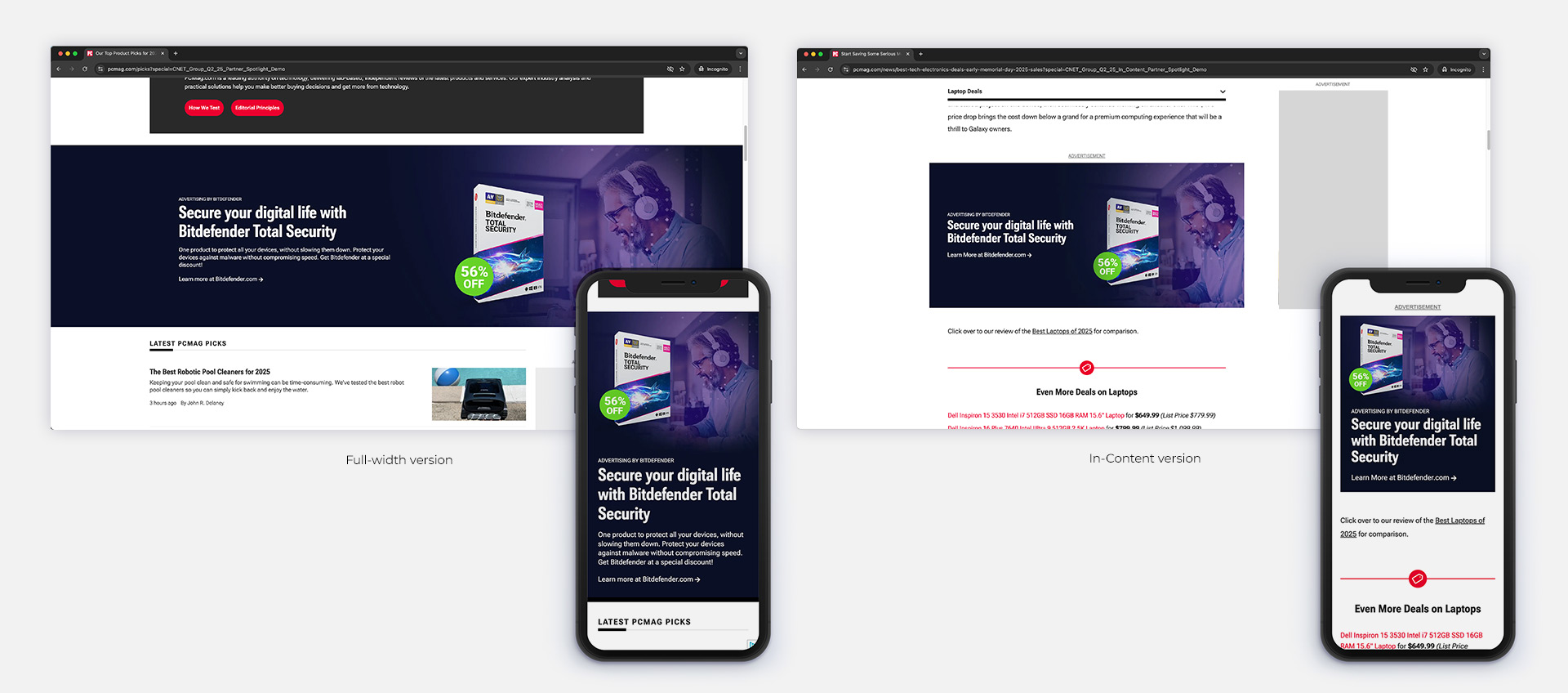
The Spotlight is a native ad unit that leverages the site’s design system and links directly to the advertiser’s website. The unit includes both Full-Width and In-Content versions. This unit is designed and produced internally by the CNET Group Studio team, using client-provided imagery and copy to ensure brand alignment and visual cohesion.
1. Content
Dimensions of the background images:
Full-width version:
- Desktop: 3880x1000px (displayed at 1920x500px)
- Mobile: 750x1250px (displayed at 375x625px)
In-Content version:
- Desktop: 1740x800px (displayed at 870x400px)
- Mobile: 640x680px (displayed at 320x340px)
*Please note, the unit is responsive. The final display sizes may be slightly adjusted based on the user’s screen and device.
Content elements
- The Primary visual element is placed on the right side of the background image (desktop), or top (mobile).
- The left side (desktop), or bottom (mobile) is occupied by Text Elements and Call to Action Button.
- A Video can be included on the right side of the unit, and the background image only acts as flourish. Place visual elements to the left or middle at your own risk, as it will likely be covered up by another block element.
2. Background Gradient Effect (dark blue)
Gradient overlay is dark blue (#0a1127). There is an edge-to-edge default application from dark-blue-to-clear back to dark-blue gradient to primarily is primarily to improve readability of the text elements, and secondarily to distinguish this block from other block elements on the page.
3. Text Elements
The text elements of the Spotlight live on the left side of the unit and consist of the following elements:
Full-width version:
- Sponsorship Text – Discloses the advertiser or brand behind the amplification of the unit. On the Partner Spotlight, we use “Advertising by (Advertiser’s name)”.
- Headline Text – Maximum Character Count: 65 (including blank space)
- Content Description Text – Maximum Character Count: 300 (including blank space)
In-Content version:
- Sponsorship Text – Discloses the advertiser or brand behind the amplification of the unit. On the Partner Spotlight, we use “Advertising by (Advertiser’s name)”.
- Headline Text – Maximum Character Count: 65 (including blank space)
4. Imagery
In the Spotlight unit, imagery is positioned on the right side of the layout. We will seamlessly integrate the client-provided product or lifestyle image into our official template to ensure visual consistency and impact.
- Image required: 1920×1080 lifestyle or product image.
5. Call to Action Button
This button utilizes the site Design System look and feel, but can be customized to say any short phrase appropriate to the body copy of the Headline and Description Text. Ex: “Read More at (Advertiser’s site)”. This button appears below the Text Elements.
6. Video Thumbnail (when a video is included)
The video thumbnail can be customized.
INFORMATION
Lead time: 5 business days for the CNET Group Studios team to produce.
This unit is designed and produced internally.
Tracking pixels needed:
1×1 (full-width version)
1×1 (in-content version)